RESUME AND CV BUILDER FOR IPHONE
Build your CV, export a clean PDF.
Fill in your details once, pick one of 12 templates (five ATS-friendly, seven design), and export a PDF. Add an AI-written cover letter when you need one.

Features
TEMPLATES
Twelve templates, two kinds
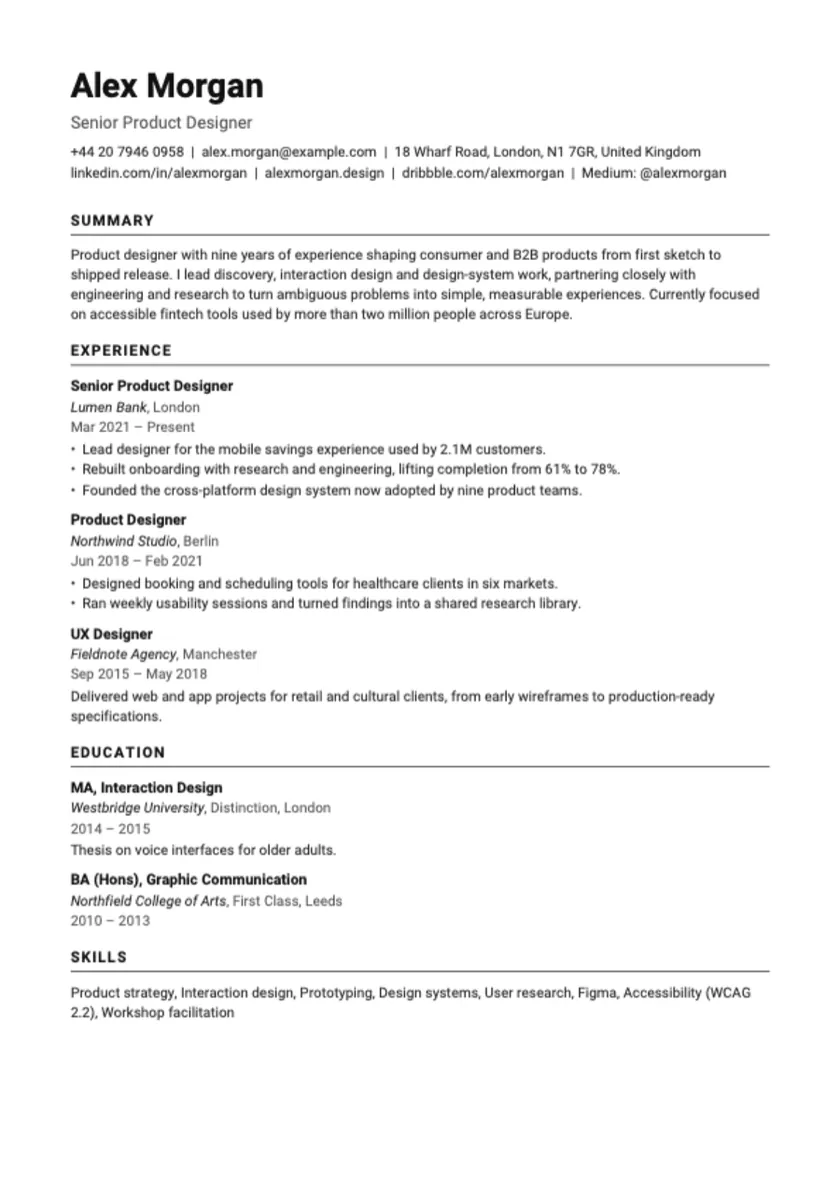
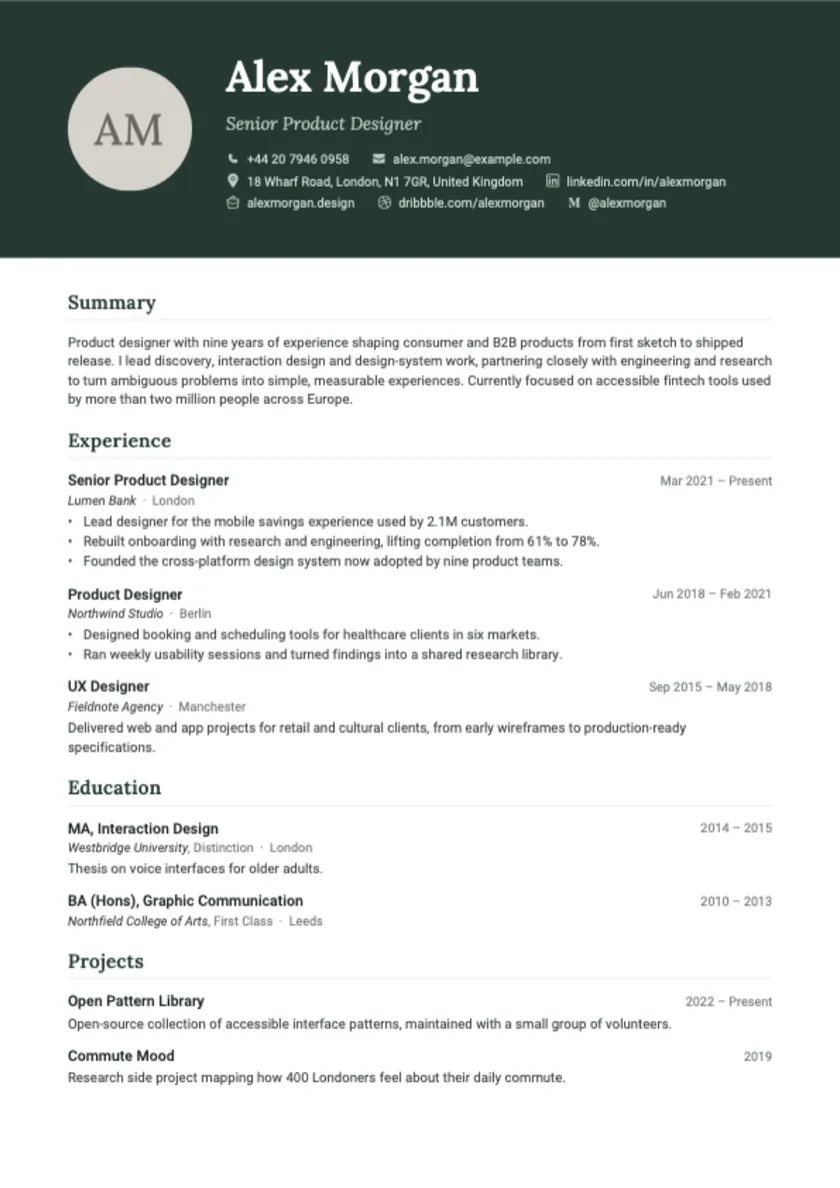
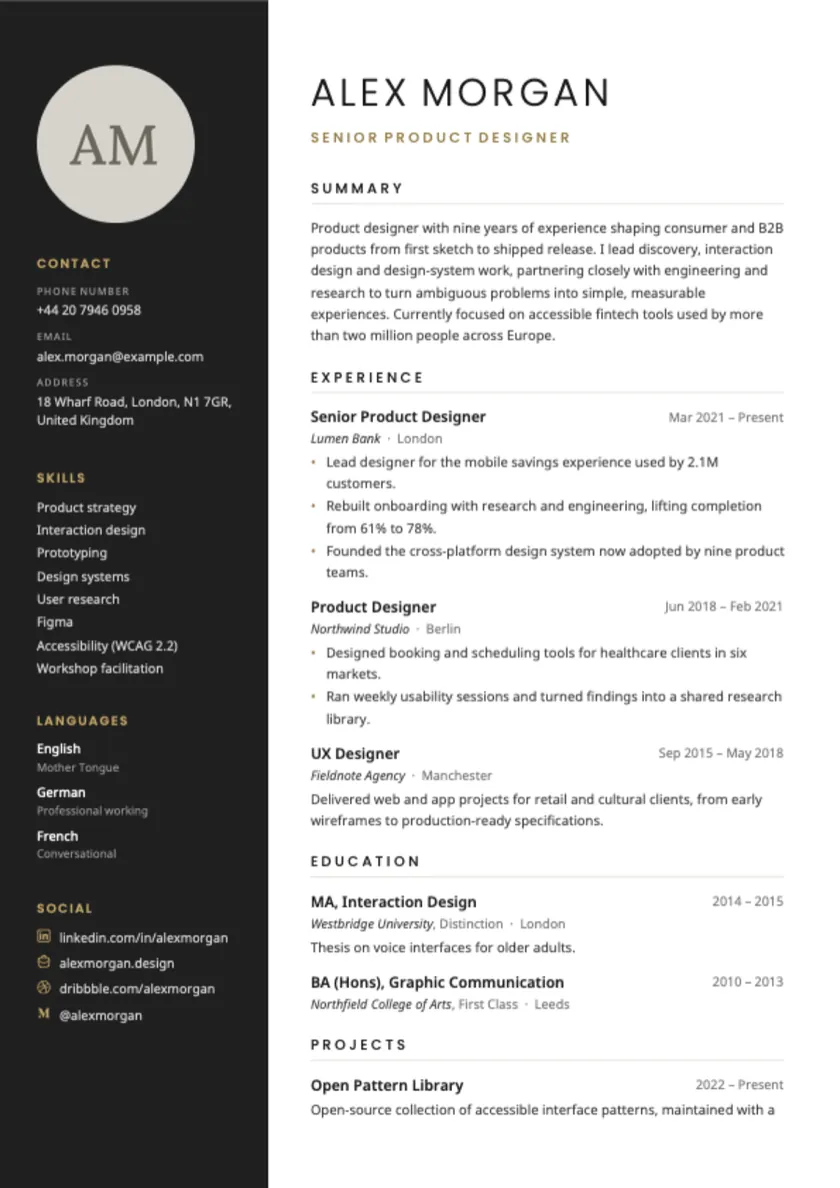
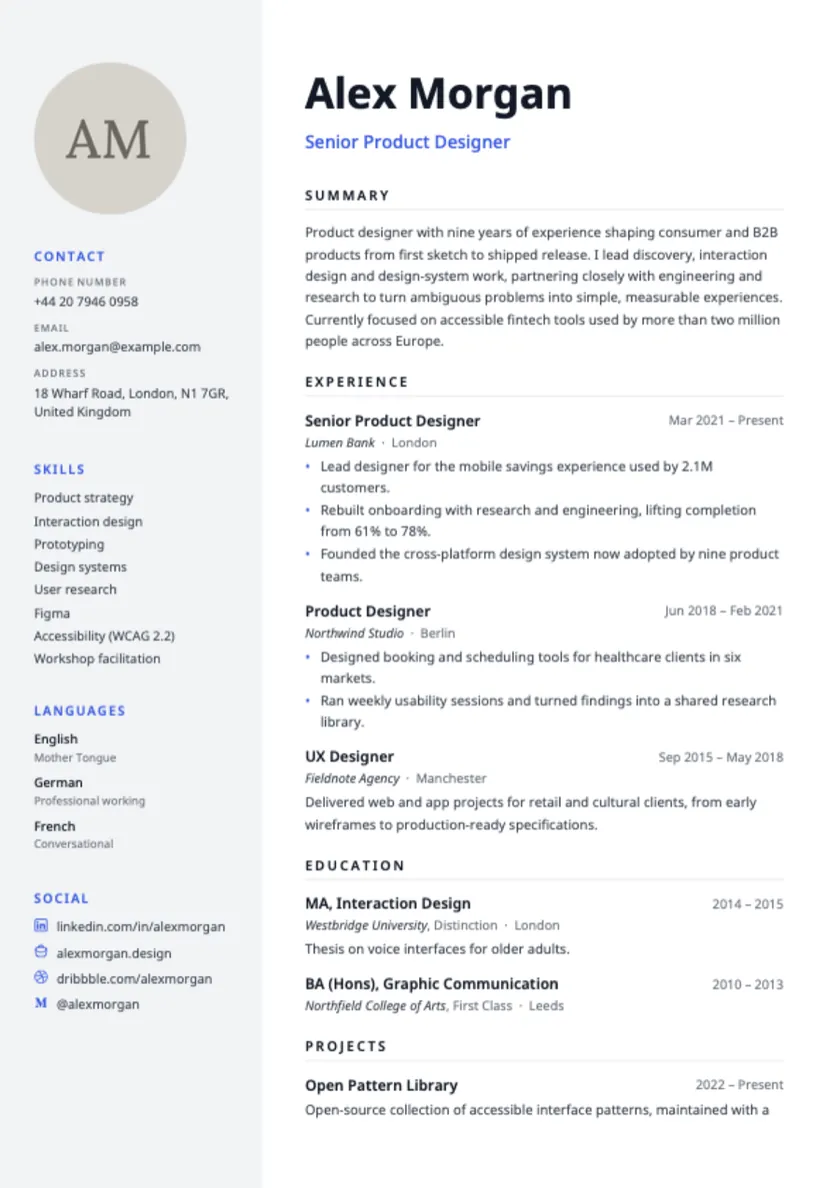
Five ATS-friendly templates use a single plain-text column with standard headings: Paris, Berlin, Moscow, Oslo and Lisbon. Seven design templates add sidebars, colour and a profile photo: New York, London, Tokyo, Rome, Beijing, Sydney and Cairo.
DESIGN
A profile photo when the template has one
The design templates can show a photo that you choose from your library and crop. Photos are optional and the ATS templates do not use one. The photo stays on your device.
LONG CVS
Layouts that flow onto more pages
Templates are generated by one layout engine, so a long work history continues onto further pages instead of being cut off. Section headings can be set in the language you pick for the CV.
COVER LETTER
Cover letters with AI
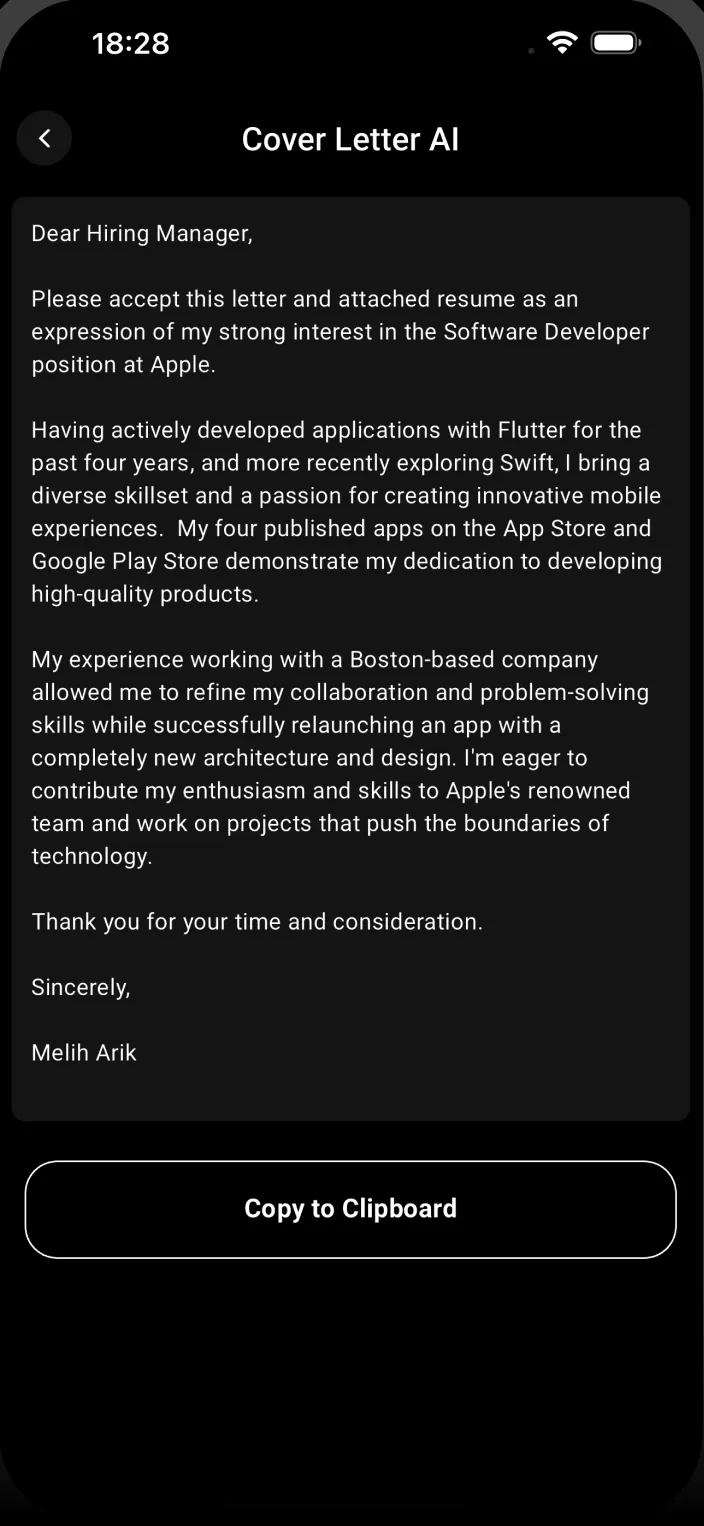
Upload your CV as a PDF, enter the company and the position, choose a language, and Smart CV writes a short cover letter. Copy it, save it in My Cover Letters, and edit it before you send. Ready-made default letters are there too.
FEEDBACK
Score a CV or import an old one
Upload a PDF and get a 1 to 10 score for content, grammar and length, plus comments on the document and each section. You can also import an existing PDF CV and have the fields filled in for you to correct.
How it works
How it works, in three steps.
-
Enter your details
Add your contact details, experience, education, projects, certifications, skills and languages, or import an existing PDF CV.
-
Pick a template
Choose an ATS-friendly or design template and preview your CV on it.
-
Export and share
View the PDF, download it or share it. Add an AI cover letter for the role if you want one.
Details
The details, worth knowing.
-
12 templates
Five ATS-friendly and seven design templates.
-
AI cover letters
Based on your own CV, the company and the position.
-
CV score
Feedback on content, grammar and length from an AI model.
-
26 app languages
The app interface is available in 26 languages.
-
No ads
Smart CV does not show ads and has no ad SDK.
-
No account to create
The app signs you in anonymously. There is no email or password.
Pricing
What it costs, in plain words.
Free to download. The free plan includes two templates and one CV. Smart CV Pro, an auto-renewing subscription, unlocks all templates, unlimited CVs, AI cover letters and CV scoring.
- Pro is offered as weekly and quarterly plans, and some offers inside the app also include a yearly plan. The plans and prices for your country are shown in the app before you subscribe.
- A free trial may be offered on some plans. Its length and terms are shown before you confirm.
- Subscriptions renew automatically unless cancelled at least 24 hours before the period ends. Manage or cancel them in iOS Settings, under your name and then Subscriptions.
- Use Restore in Settings if you reinstall or change device.
Is Smart CV free?
The app is free to download. The free plan includes two templates (one ATS-friendly, one design) and one CV. Smart CV Pro, a paid subscription, unlocks all twelve templates, unlimited CVs, AI cover letters and CV scoring. Plans and prices are shown in the app before you subscribe.
What is the difference between ATS and Design templates?
ATS templates use one plain column with standard headings and no photo, which suits automated screening software. Design templates use sidebars, colour and an optional photo, and suit applications read by a person. Smart CV cannot promise how any specific employer system will read a file.
How do I cancel my subscription?
Open Settings on your iPhone, tap your name, then Subscriptions, choose Smart CV and tap Cancel. You keep access until the period you paid for ends. Deleting the app does not cancel it.
I subscribed but Pro is not unlocked.
Open Smart CV, go to Settings and tap Restore while signed in with the same Apple Account. If it still does not unlock, email apps@meliharik.dev.
What is sent to AI, and what stays on my phone?
Your CV data and photo stay on your device. When you use the AI cover letter, CV score or CV import, the text extracted from the PDF you pick (plus the company, position and language for a cover letter) is sent to Google's Gemini API to produce the result. The PDF file and your profile photo are not sent. The Privacy Policy has the full list.
The AI feature failed or gave a wrong result.
AI features need an internet connection and sometimes the AI service is busy, so try again in a moment. Always read generated text before you use it, because it can contain mistakes. If it keeps failing, email apps@meliharik.dev.
How do I delete my data?
CV data and your photo are stored only on your device, so deleting the app removes them. The app has no delete-account button. To have the small record kept on our servers (anonymous ID, device ID and model, subscription status) erased, email apps@meliharik.dev and we will remove it.
Can I change the language of my CV?
Yes. You choose a CV language and the section headings use it. Smart CV does not translate the text you write, so enter your content in the language you want.
Get Smart CV for iPhone.
Fill in your details once, pick one of 12 templates (five ATS-friendly, seven design), and export a PDF. Add an AI-written cover letter when you need one.